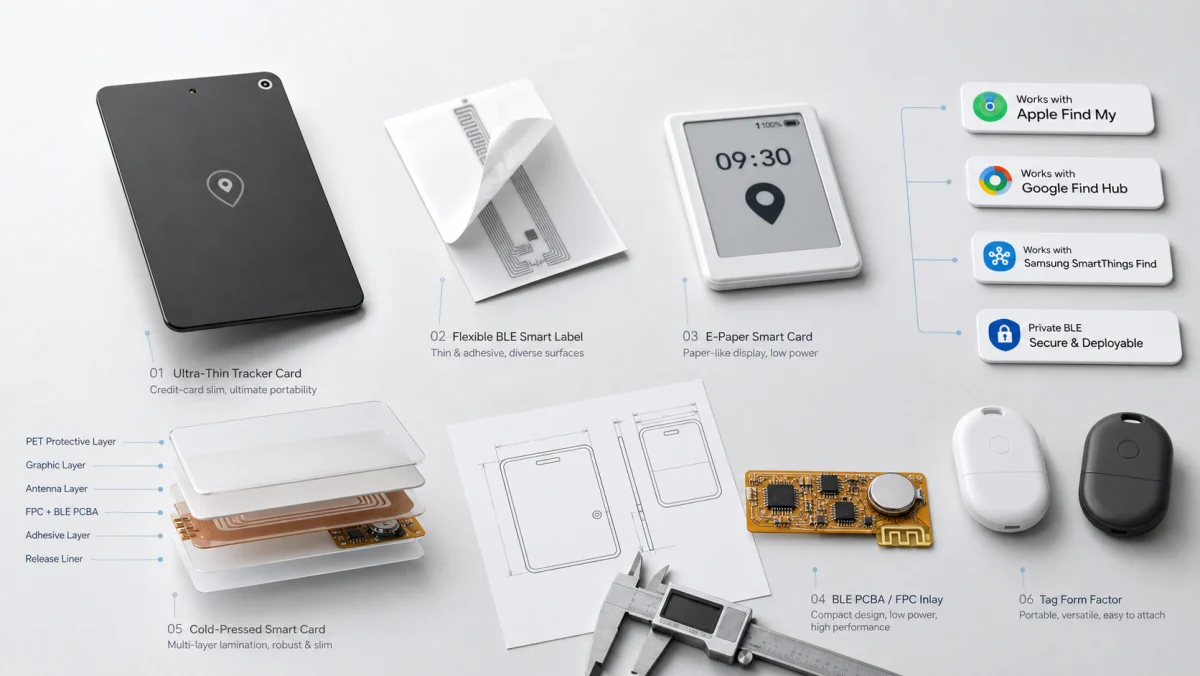
Yuli develops custom four-color e-paper smart cards and display cards for brands that need information to remain visible without continuous display power. The cold-pressed card body brings the selected electronic-paper module together with NFC or BLE electronics, a project-specific power system and the mechanical features required for carrying, mounting or wearing the card.
The communication and power architecture determines how the card is updated and where it fits. Battery-free NFC works for deliberate tap-to-update workflows. Battery-assisted NFC adds energy for larger displays or local functions. BLE supports updates at practical range and the management of multiple cards. A hybrid design is reserved for products that genuinely need both close-range service and wireless updates.
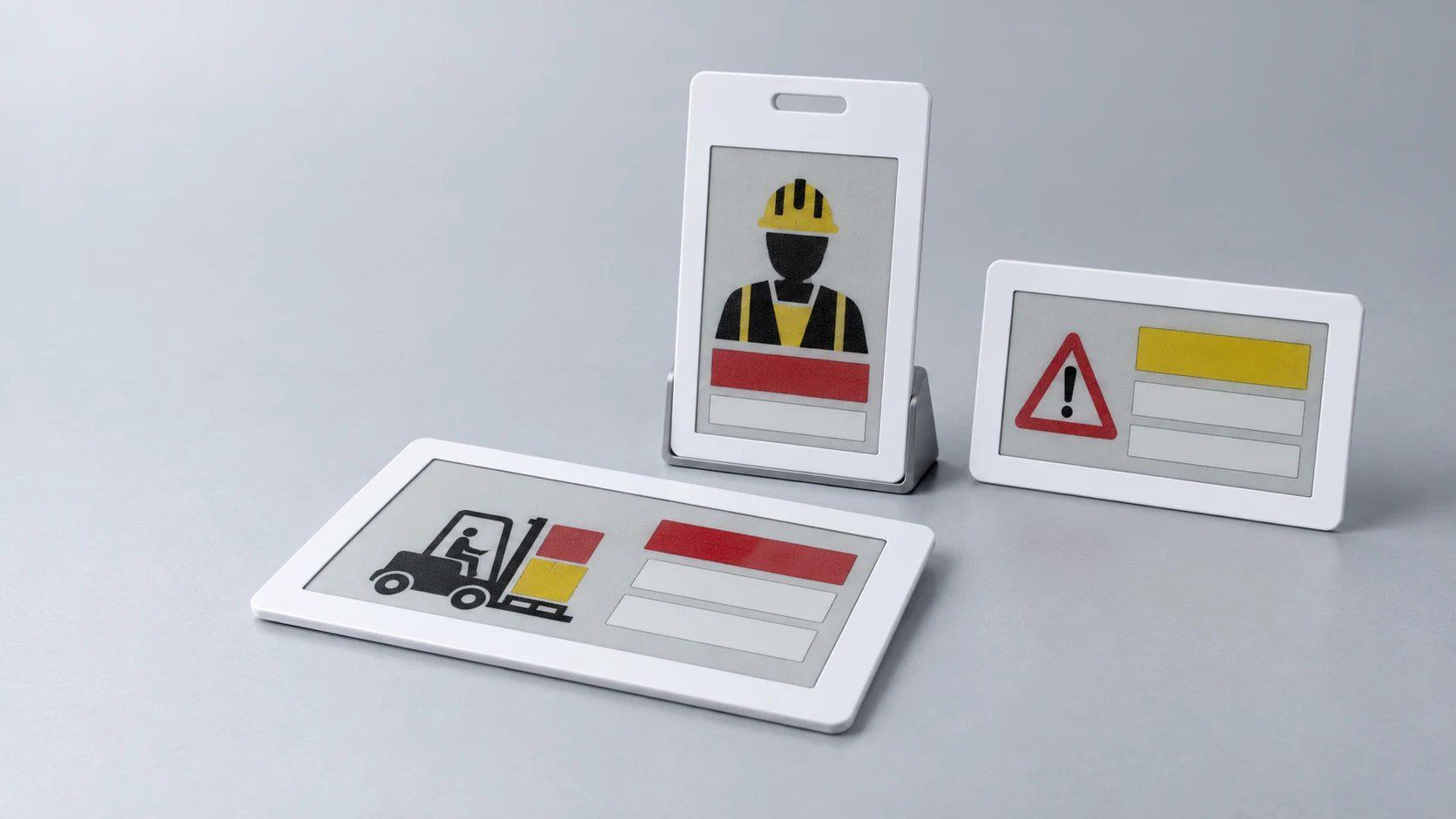
An e-paper display card is a card-format electronic product that presents changeable information on a bistable electronic-paper screen. The displayed image remains visible without continuous power. Energy is required when the image changes and, depending on the product, for wireless communication, sensing, storage or user input.
E-paper smart cards, display cards and E Ink
E-paper display card and e-paper smart card describe the same broad product category: a flat card-format product with a refreshable electronic-paper display. Smart display card is also used for products that combine the screen with NFC, BLE, secure electronics, buttons or sensors.
E Ink is a display-technology brand and supplier name; e-paper or electronic paper is the wider product category. A production specification should name the selected panel, controller, color palette, active area, refresh mode, operating limits and supply status.
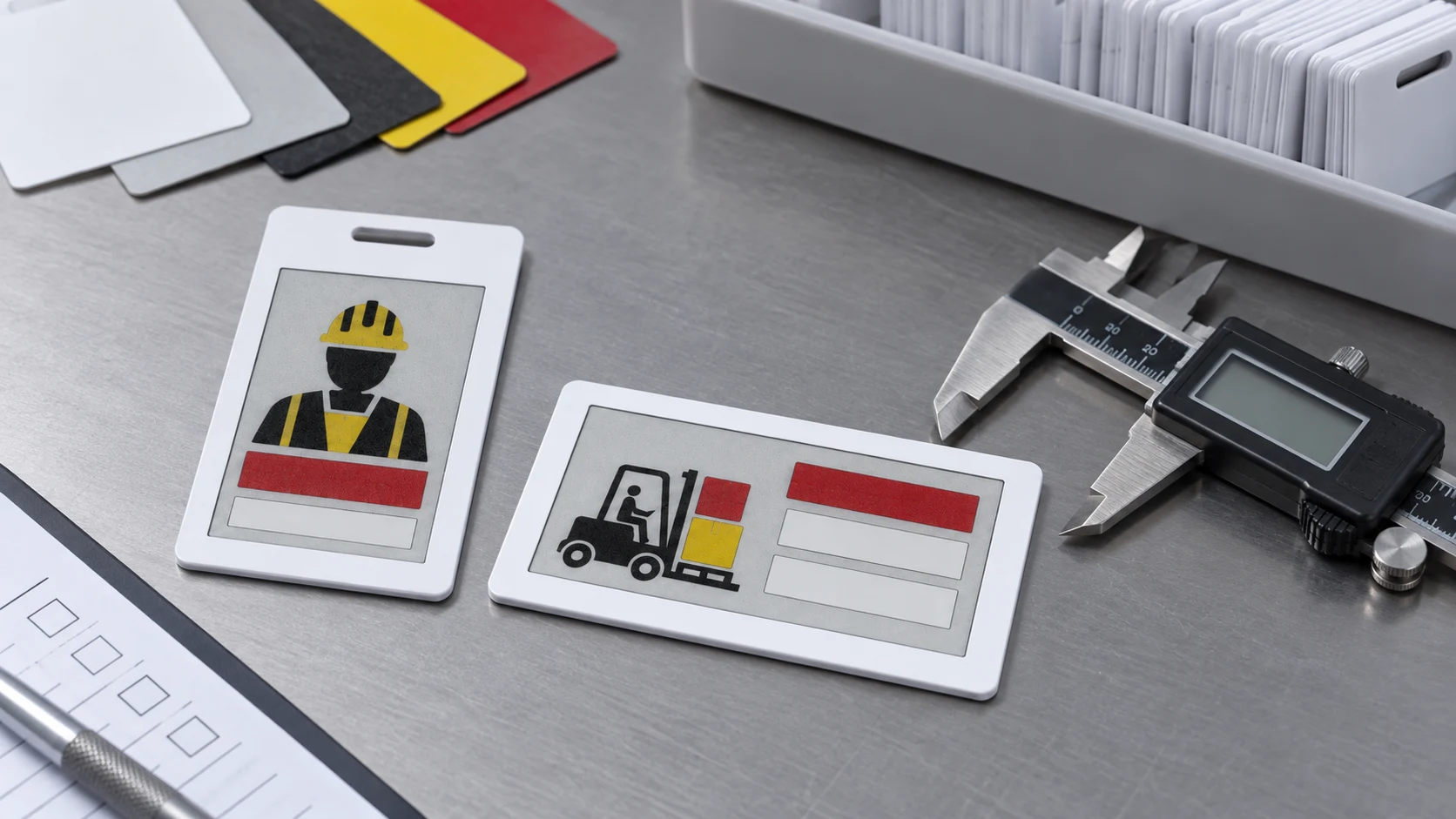
Yuli’s current display-card format uses a reflective four-color electronic-paper screen with black, white, red and yellow pigments. It is intended for static or low-frequency information that must remain visible without continuous display power. Printed cards, electronic shelf labels and portable e-paper badges require different mechanics and system architectures even when their displays use the same bistable principle.
Four practical architectures for an e-paper card
1. Battery-free NFC e-paper card
A battery-free NFC display card draws operating energy from the electromagnetic field of a compatible NFC reader or phone. That harvested energy can power the NFC interface and, with a suitable display, driver and energy budget, complete a screen update. The image remains visible after the reader is removed because e-paper is bistable.
This architecture suits information that changes when the card is deliberately tapped or placed on a reader. It removes battery storage and replacement from the operating model, but the update depends on close-range coupling, reader compatibility and enough harvested energy to complete the transaction. Antenna design and the location of metal, display conductors and other components are central to the finished-card test.
2. Battery-assisted NFC display card
Adding a battery gives the design more freedom. NFC can remain the close-range data interface while the battery supplies the display refresh, local memory, a secure element, a clock or other functions. The card may still be operated by a tap, but the available update energy is no longer limited entirely by the reader field.
This route is useful when the display is larger, the update sequence is more demanding or the product must perform work before or after the NFC exchange. It also adds battery selection, standby current, shipping mode and end-of-life behavior to the product specification.
3. BLE e-paper badge or display card
A BLE e-paper badge can receive updates at a practical distance without requiring the user to align the card with an NFC antenna. It can also support device status, buttons, sensors or scheduled updates when the hardware and software are designed for those functions. The card normally uses a battery because the radio must advertise, scan or connect when no external field is present.
BLE is appropriate when cards need to be updated in circulation, managed in groups or connected to a brand’s phone, gateway or management application. The product brief needs to define who initiates an update, how the card is authenticated, what happens if a transfer is interrupted and how the final image is confirmed.
4. Hybrid NFC and BLE e-paper card
A hybrid design can assign different jobs to the two interfaces. NFC may handle identity, commissioning or close-range service, while BLE carries routine updates or status data. Another product may use BLE for communication and retain NFC as a fallback identification path.
Two radios are useful only when the operating workflow needs both. They also compete for board area and antenna clearance, and they increase firmware, test and provisioning work. The architecture should be justified by the user journey before it is added to the bill of materials.
| Architecture | How the display is updated | Best fit | Main engineering focus |
|---|---|---|---|
| Battery-free NFC | Close-range reader supplies data and update energy | Tap-to-update identity, status or service cards | Energy harvesting, NFC coupling and reliable update completion |
| Battery-assisted NFC | NFC provides data; battery supports display and local functions | Secure display cards and controlled close-range workflows | Battery life, standby state, NFC performance and transaction sequence |
| BLE | Wireless update from a phone, gateway or management device | Reusable badges and managed display-card fleets | Power budget, update protocol, authentication and RF performance |
| NFC + BLE | Each interface serves a defined part of the workflow | Products needing both close-range service and remote updates | Antenna coexistence, firmware scope, provisioning and production test |
Choose the architecture from the operating workflow
The same screen can serve very different products. A visitor badge updated once at reception has a different power profile from a staff badge refreshed several times a day. An asset card mounted on a returnable container may need group updates, while a security display card may require an intentional tap and a tightly controlled transaction.
| Product form | Typical displayed information | Architecture questions to settle |
|---|---|---|
| Reusable staff or visitor badge | Name, role, access zone, event or visitor status | Update desk or wireless fleet management, attachment method, cleaning and reuse cycle |
| Healthcare identity card | Patient or staff identity, department and care status | Who may update the card, how information is confirmed and which cleaning agents contact the surface |
| Asset and process-status card | Asset ID, work order, state, destination or inspection result | Reader availability, update frequency, mounting surface and synchronization with the customer’s system |
| Financial or security display card | Dynamic code, account state or controlled user information | Security architecture, interface, power source and the standards or approvals defined by the brand |
These forms do not share one universal specification. Display size, refresh speed, temperature range, button behavior, battery target, data security and host software are project requirements. The update workflow and acceptance criteria should be fixed before the mechanical design is released.
Why an e-paper card is not simply a smaller shelf label
Electronic shelf labels and e-paper cards both use bistable displays, but the product conditions are different. A shelf label normally stays in a fixed holder and communicates with infrastructure selected for that store. A card may be carried in a pocket, worn on a lanyard, cleaned, flexed, tapped against a reader or handled repeatedly at its edges.
Card-format products also place the display beside a compact battery, PCBA, NFC or BLE antenna, buttons and attachment features. Surface flatness and edge quality are visible from close range. The display window needs protection without losing contrast, and the completed card must remain comfortable to carry. These requirements make the enclosure, electronics and manufacturing process one system rather than separate purchases.
Cold-pressed manufacturing for flat display cards
Yuli’s cold-pressed smart card manufacturing integrates the approved display, PCBA, antenna, power components and cover materials into one finished card body at controlled temperature. The route is suited to electronic-paper assemblies and other heat-sensitive components when the materials, pressure limits and finished-card requirements have been confirmed for the project.
The finished product is a flat card-format assembly rather than a thick snap-fit enclosure. Straight edges, an even display frame, a controlled screen window and a clean lanyard slot are visible quality features. Inside the card, the structure must distribute pressure around the active display area and compensate for the height of the battery, connector, driver and other components.
Screen support, the flex connection and NFC or BLE antenna clearance are reviewed with the complete electronics. The target outline cannot be set from the nominal thickness of the bare PCB or display alone. E-paper smart card structure integration covers display protection and antenna placement, while PCBA cold-press integration connects the electronics layout with the released card construction.
Validation must cover the complete display card
A working development board does not establish the performance of the finished card. Encapsulation changes mechanical support, antenna surroundings, display-window pressure and the way the user handles the product. Design validation should use the production-intent materials, electronics and software revision.
- Display: full refresh and, where supported by the selected panel, partial refresh behavior; four-color separation, contrast, ghosting, image retention and readability across the specified operating conditions.
- Power: energy per update, standby current, radio activity, button use, battery voltage under load and the defined shipping state.
- NFC and BLE: update reliability, practical read or connection area, antenna performance after encapsulation and behavior with the intended phone or reader.
- Mechanical: thickness, flatness, display-window support, attachment slot, repeated handling, drop and flex requirements agreed for the application.
- Production data: firmware or configuration revision, electronic identity, printed identity and final test result linked to the same unit where traceability is required.
Temperature needs particular attention because e-paper refresh behavior and battery output can change in cold or hot conditions. The operating range and update limits belong to the selected components and the finished product tests; they should not be inferred from the screen technology alone.
What to include in an OEM display-card inquiry
A useful RFQ describes the product workflow as well as the card outline. The following information lets the hardware and manufacturing teams compare architectures without filling the gaps with assumptions:
- Use case, user group and target sales markets.
- Display size, color capability, information layout and expected update frequency.
- NFC, BLE or hybrid communication and the phone, reader or management system involved.
- Battery-free, primary-cell or rechargeable operation, together with the expected service interval.
- Card dimensions, attachment method, surface finish, printing and environmental requirements.
- Existing schematic, BOM, PCB files, firmware status and display data sheet, where available.
- Prototype quantity, production forecast and the tests or records required at delivery.
Yuli supports custom e-paper smart cards and updatable badges for brand owners and solution providers. The customer defines the product, brand, external design, market and application system. Yuli can support hardware engineering, solution integration, prototype builds, certification preparation, pilot production and cold-pressed card manufacturing within the agreed project scope.
Frequently asked questions
Is an E Ink card the same as an e-paper smart card?
They are often used to describe the same product type, but the terms are not identical. E-paper is the display category. E Ink is a display-technology supplier name. An OEM specification should name the actual display module, driver and operating requirements.
Can an e-paper display card work without a battery?
Yes, when a suitable NFC interface harvests enough energy from a compatible reader to receive data and refresh the selected display. Battery-free operation depends on the display, driver, antenna, update sequence and reader conditions. The completed card must be tested as a system.
Should a display card use NFC or BLE?
Use NFC when deliberate close-range updates fit the workflow and reader availability is controlled. Use BLE when the card needs wireless updates at a practical distance or fleet management. A hybrid design is justified when the product has separate close-range and remote tasks.
Can a four-color e-paper display be integrated into a cold-pressed card?
Yes. The selected display’s pressure and temperature limits must be built into the card construction and manufacturing process. Sample builds then confirm surface flatness, display-window support, color separation, refresh behavior and wireless performance before pilot production.
Can Yuli manufacture a customer-designed e-paper card?
Yes. Yuli can review a customer-supplied display, PCBA and battery for cold-press integration, or support hardware engineering before prototype and pilot production. The manufacturing scope and acceptance tests are agreed from the released design files.
Discuss an e-paper display card project. For a detailed submission, use the project requirements form.