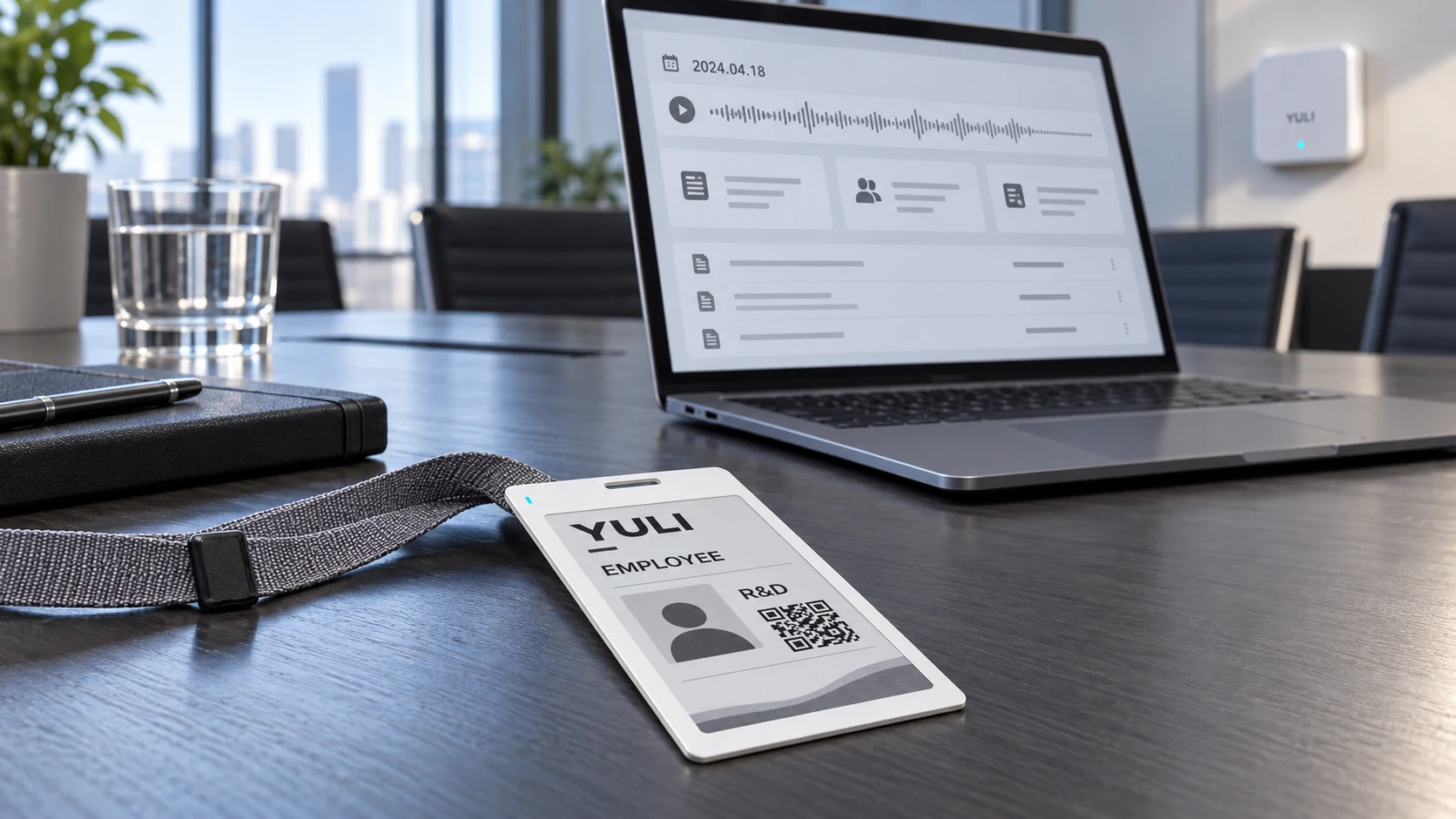
Yuli has developed an ultra-thin, integrated cold-pressed e-paper employee badge for companies that want staff identity, indoor positioning, workplace notifications and meeting capture in one card-format device. The monochrome e-paper display can show a name, department, role, QR code or current work status, while a workplace gateway can deliver room changes, shift notices and task updates to selected badges.
The badge is designed for offices, R&D teams, manufacturing sites, warehouses and distributed service organisations. It handles the work that belongs at the employee’s side: visible identification, low-power location packets, message display and one-touch recording. The enterprise workspace handles employee permissions, device status, approved meeting minutes and knowledge records.
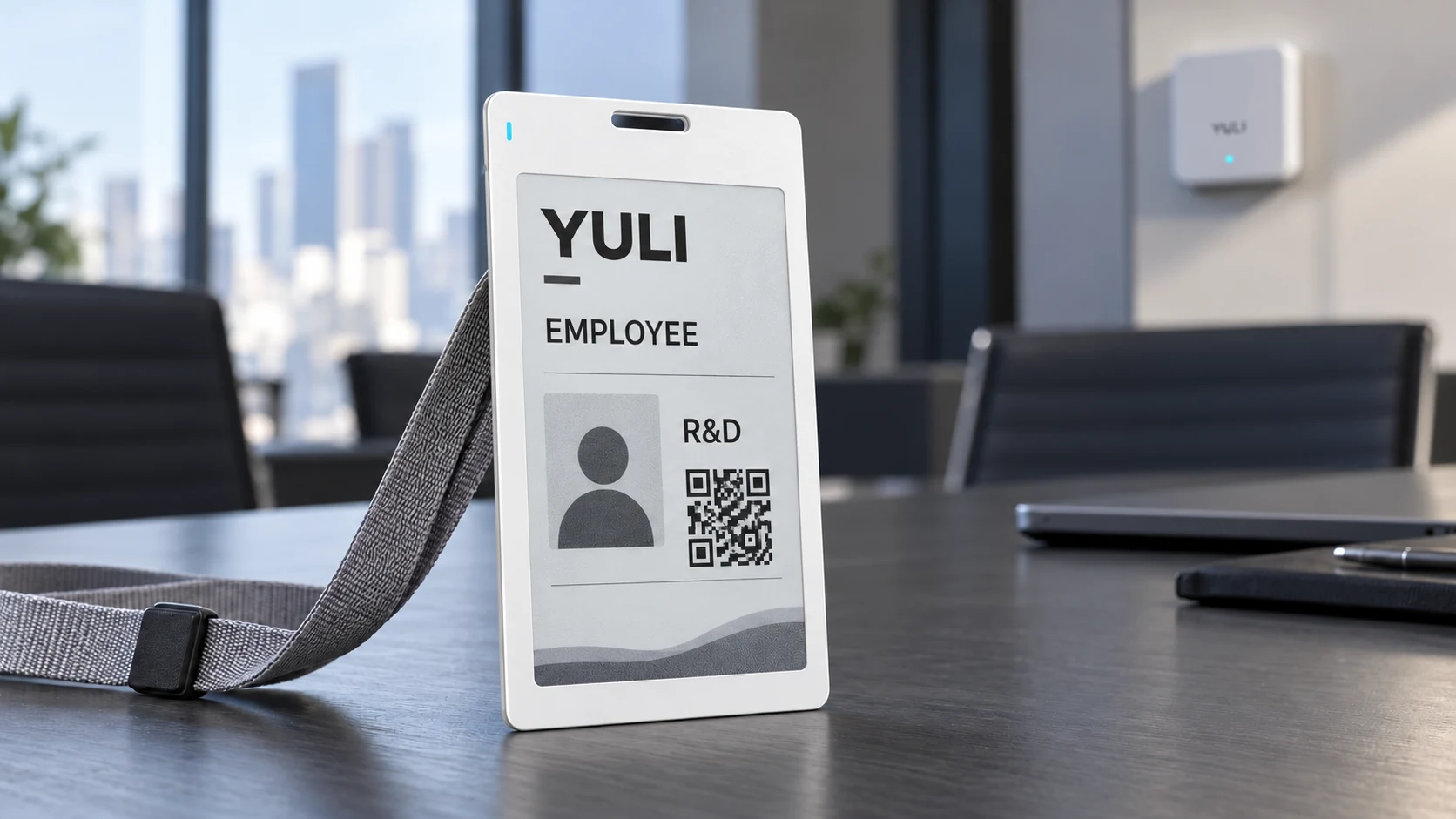
It is a reusable electronic staff badge with an updateable, low-power display. Yuli’s version adds BLE connectivity for indoor positioning and messages, plus a recording control for meeting notes. The final system can connect to an employee directory, access-control workflow, location service and enterprise knowledge base.
Why the employee-card form factor matters
An employee badge is worn for most of the working day. A thick enclosure catches on clothing, sits poorly in a standard lanyard and feels more like a handheld device than an ID card. Yuli’s ultra-thin cold-pressed construction integrates the display, thin PCBA, battery, antenna, microphone and front-surface control into a flat card body with no protruding side button.
The card architecture is defined as one system. Display opening, antenna clearance, microphone path, lanyard slot, front control and edge strength are considered before the tooling route is fixed. This avoids the common late-stage compromise in which the electronics work but the card has to become thicker to accommodate them.
Monochrome e-paper retains a static image without continuously powering the display. The complete badge still consumes energy when it refreshes the screen, transmits BLE packets, receives a message or records audio. Battery life therefore depends on display updates, location interval, gateway contact, recording duration and the selected battery.
One badge, two operating workflows
The same badge and gateway infrastructure can support two distinct jobs. Live employee operations cover identity, location and short workplace messages. Meeting knowledge starts with an intentional recording action, then moves through transcription, review and controlled publication. Keeping these workflows separate makes permissions and retention rules easier to manage.

Indoor positioning for zones, rooms or higher-accuracy projects
The badge can transmit scheduled Bluetooth Low Energy packets. Gateways installed across an office, factory or warehouse receive those packets and send the observations to the location service. A conventional BLE gateway network is suitable for floor, zone or room-proximity information. It can support dispatch, attendance events, inspection records and basic movement history without asking employees to carry a phone.
Projects that require finer positioning can use BLE Angle of Arrival or UWB. Those methods need compatible badge hardware, dedicated anchors, a surveyed installation and on-site calibration. Accuracy is a system result: radio technology, anchor density, mounting position, partitions, machinery and human-body obstruction all affect it. Yuli therefore confirms the required operating zone and acceptance method before choosing the location architecture.
| Positioning method | Best suited to | Deployment requirement |
|---|---|---|
| BLE gateway / RSSI | Floor, zone and room-proximity status | Standard receiving gateways and threshold tuning for each area |
| BLE Angle of Arrival | Workplaces that need finer position estimates | Antenna arrays, surveyed locations and site calibration |
| UWB | Projects with higher accuracy and update-rate requirements | UWB anchors, power, network access and a compatible location engine |
Gateway notifications reach the badge without a phone
An administrator can select an employee, team, room or site and send a short message through the workplace gateway. The badge wakes, receives the message and refreshes the e-paper display. Typical messages include a meeting-room change, shift update, visitor handover, service task or safety instruction.
The last successfully refreshed message remains visible when the radio returns to sleep. Delivery time depends on the badge’s wake schedule and gateway coverage. Where confirmation is required, the system can be configured to record the dispatch time, delivery status and employee acknowledgement. Those functions are agreed during system design rather than assumed for every badge configuration.
One-touch meeting capture from the front surface
The employee starts recording from a front-surface control, so the card does not need a mechanical side button. A clear status indication confirms that recording has begun. After the meeting, the audio follows the transfer route defined for the project. That route may use an approved gateway, a paired mobile terminal or a charging and data station.
The badge captures and transfers audio; it does not run the language model on the card. Transcription, speaker processing, summary drafting and task extraction take place in the enterprise workspace or an approved service. This keeps the wearable hardware thin and gives the company control over where meeting data is processed.
Meeting notes become controlled company records
A useful meeting record needs more than a transcript. The workspace can prepare a draft with the subject, decisions, open questions, owners and due dates. Participants review the draft before it becomes the approved version. The source audio, transcript, reviewed minutes and revision history can remain linked for audit and follow-up.
Approved records can be organised by department, project, customer or product. Access follows the company’s identity system, so employees only see the spaces relevant to their role. When a person changes role or leaves, access can change with the corporate account instead of being managed separately in the badge system.
System responsibilities by layer
| Layer | Primary responsibility | Project decisions |
|---|---|---|
| E-paper employee badge | Identity display, BLE packets, message display and intentional recording control | Screen, battery, radio, NFC option, microphone path and card layout |
| Gateway or transfer endpoint | Receive location packets, relay messages and transfer approved data | Coverage, wake timing, network connection and device authentication |
| Operations workspace | Employee directory, device fleet, locations, messages and meeting drafts | Roles, integrations, event rules and deployment model |
| Enterprise knowledge base | Approved minutes, decisions, action records and retrieval | Publication workflow, permissions, retention and deletion |
Where the badge fits
Headquarters and R&D teams
The badge can combine visible identification, room-level location, meeting reminders and meeting capture. Reviewed records can be filed against the relevant project instead of remaining in personal notes.
Manufacturing and warehouse sites
Zone status can support dispatch, inspection attendance and shift coordination. Gateways can also deliver short work instructions or urgent room changes to selected employees.
Retail and field-service teams
Head office can update staff details, training notices and task messages across multiple sites. Meeting and service records can be assigned to a branch, territory or customer account.
Contractors and visitors
A temporary badge can show the visitor’s host, validity period and approved area. The organisation can disable the account and associated device permissions when the visit or project ends.
Recording and location data need explicit controls
Meeting recording should begin only after the required notice or consent has been handled under the organisation’s policy and applicable law. Location data should have a defined operational purpose, an appropriate retention period and role-based access. Sensitive projects may use private deployment, encryption and restricted export.
The system should also distinguish an AI-generated draft from an approved company record. A designated participant reviews the transcript, decisions and action owners before the minutes are published. This review step prevents an automated summary from becoming the organisation’s final account without human confirmation.
What Yuli supplies
Yuli supports brand owners and enterprise solution providers with the e-paper employee badge hardware, cold-pressed card construction, wireless engineering and manufacturing handoff. The scope can also include gateway integration, platform interfaces and coordination with the customer’s identity, access-control or knowledge systems.
- Monochrome e-paper, thin PCBA, battery, microphone, NFC and wireless-component selection;
- ultra-thin integrated cold-pressed smart-card construction with a lanyard slot, front control and acoustic path;
- BLE gateway, BLE Angle of Arrival or UWB architecture support according to the project;
- interfaces for employee data, messages, devices and location events;
- audio transfer, transcription workflow, reviewed meeting minutes and knowledge-base integration;
- prototype builds, site validation support, pilot production and production testing.
What to define before prototyping
A productive engineering review starts with the display layout, target thickness, lanyard format, location accuracy, site coverage and expected message timing. The team should also confirm the recording transfer route, employee-directory integration, access-control requirement, data-hosting model, retention policy and expected order volume. Yuli uses these inputs to select the hardware route and prepare the prototype and validation plan.
Frequently asked questions
Does an e-paper employee badge need continuous display power?
No. E-paper retains a static image without continuous display power. The badge still uses energy for screen updates, BLE communication, positioning packets and recording, so total battery life must be calculated from the intended duty cycle.
How accurate is indoor positioning?
Accuracy depends on the selected radio method and the building. BLE gateway and RSSI systems are usually used for zone or room-proximity information. BLE Angle of Arrival or UWB can support finer positioning when the site has the required anchors and calibration.
Will a message remain visible outside gateway coverage?
Yes. The last successfully refreshed e-paper message remains visible. A new message can only arrive when the badge returns to communication range and meets the configured wake conditions.
Are meeting notes published automatically?
They do not have to be. The recommended workflow produces a draft transcript and summary, then asks an authorised participant to confirm the decisions and action items before publication.
Can the badge connect to an existing access-control system?
Yes, where the project includes a compatible NFC credential and approved interface. The visible e-paper identity and the access credential remain separate so the security system does not rely on display content.
Explore Yuli’s e-paper smart card, smart badge and personnel location card, and cold-pressed smart card manufacturing. To review an employee-badge, gateway and enterprise-workspace project, submit your requirements. Detailed specifications can be sent through the RFQ checklist.